
Online shop
Orders arrive organised: date, flavours and contact details
Build the storefront from the products you already have in Confeilab, share the link on Instagram and WhatsApp and get orders ready to confirm. Nothing is charged on the site: you agree the final price and the payment with the customer.

How it works
Build the storefront
Pick products from your catalogue, group them into sections and add photos and a description.
Make it yours
A ready-made theme or your own colours, logo, banner, tagline and contacts.
Publish and share
The shop gets the address your-shop.confeilab.shop; a checklist shows what is missing before you publish.
Accept and bake
The order arrives in Confeilab and, once accepted, becomes a quote with the order's prices.
Storefronts with sections
Create one or more storefronts, split them into sections (boxes, cookies, cakes…) and set the order. Each physical shop can use its own.
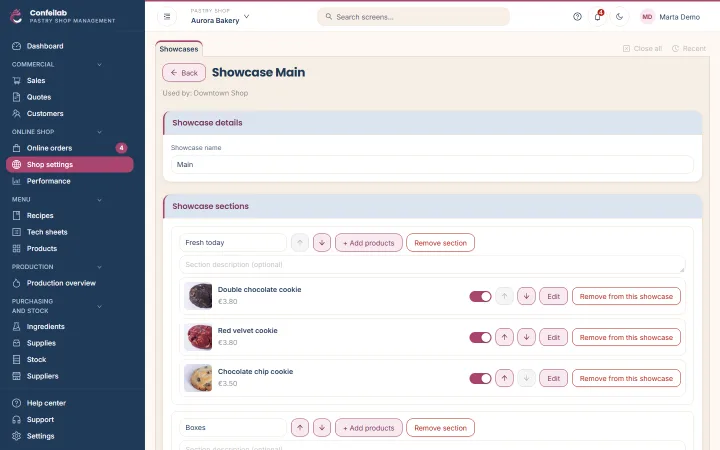
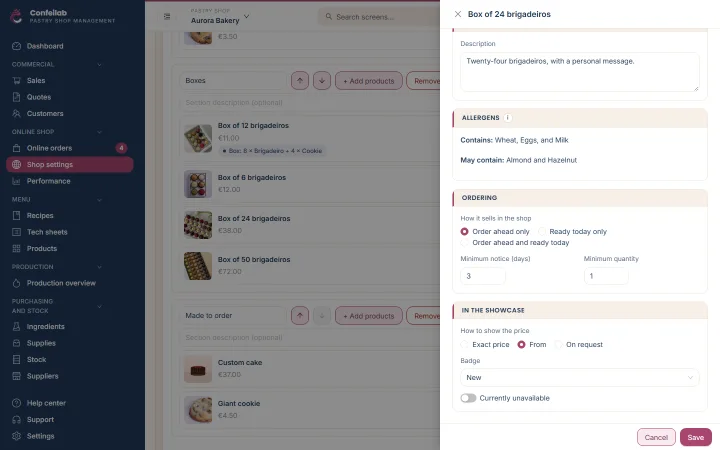
Every product the way you want to show it
Photos, a shop name and description; exact price, "from" or "on request"; "Most ordered", "New" and "Seasonal" badges; minimum notice, minimum quantity and "currently unavailable".
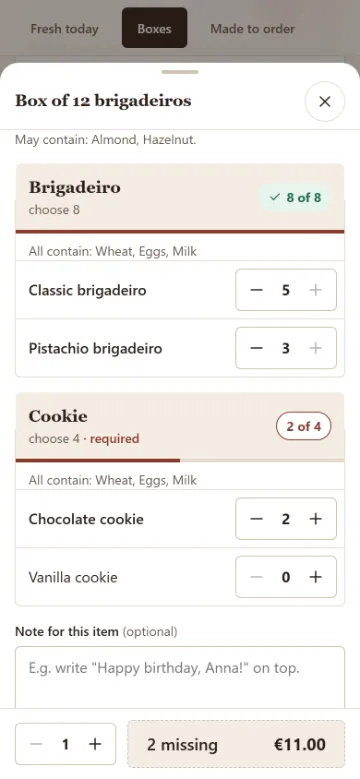
Boxes with flavours to choose
The customer picks the flavours within each line of the box and can only continue once it is complete.
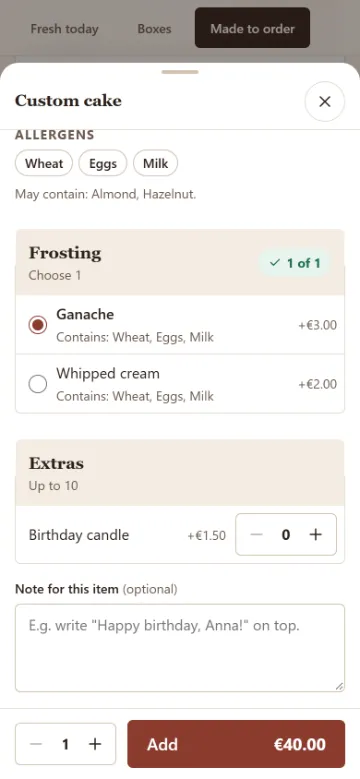
Options that grow the order
Frosting, decorations, candles: the customer picks the product's options and the total on the button goes up by itself. Each option has its own price and cost, so the order's margin stays right.
Allergens from your recipes
Each product's allergens come from the recipes and ingredients you have already entered, including "may contain". The shop can only be published once every visible product has them.
Order calendar
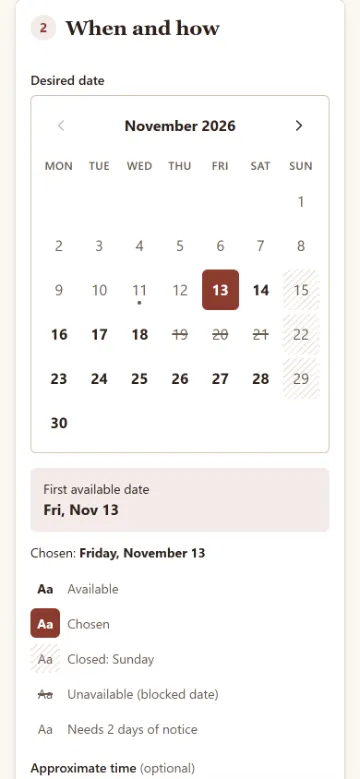
Minimum notice, closed days and blocked dates with a reason the customer sees. The calendar only offers dates you can do.
Sell what is ready today
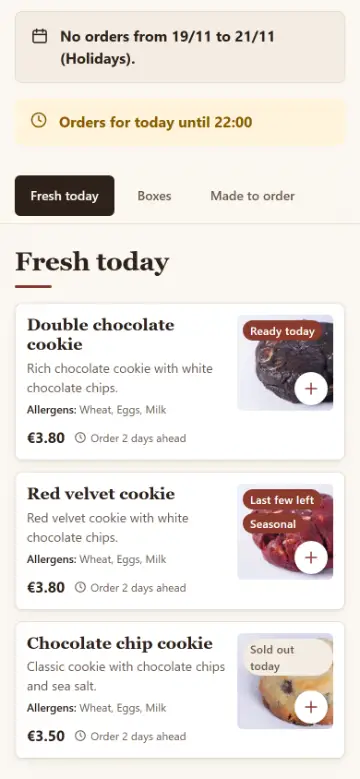
Mark products as ready to take away and say how many you have. The shop shows "Ready today", flags the last few and marks "Sold out today" by itself, and the customer orders for today with no calendar, until the time you choose.
Orders without online payment
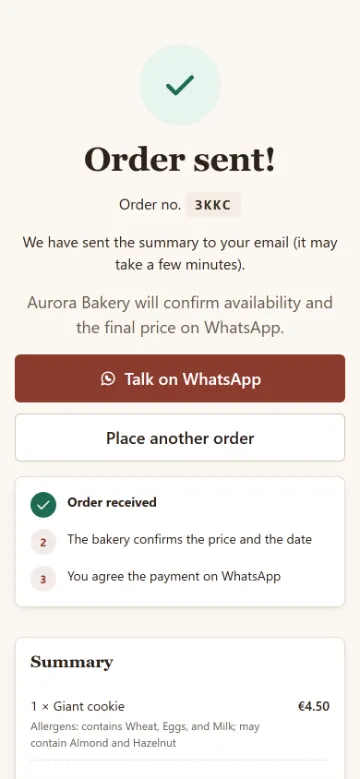
The customer chooses pickup or delivery, the date and time of day, adds notes and accepts the shop's privacy policy. Once sent, the customer sees the order number, the next steps and a button to talk to you on WhatsApp: nothing is charged on the site, and the payment (and the deposit, if you ask for one) is agreed there.
Online orders in Confeilab
Pending, accepted and declined in one list. Accepting creates the customer (or uses the existing one) and a quote with the order's prices; declining asks for a reason. The WhatsApp message comes ready.

No order forgotten
Every new order shows up in the bell and, on the devices where you turn notifications on, as a notification. If nobody opens it within the time you choose, the managers get an email.
Your bakery's look
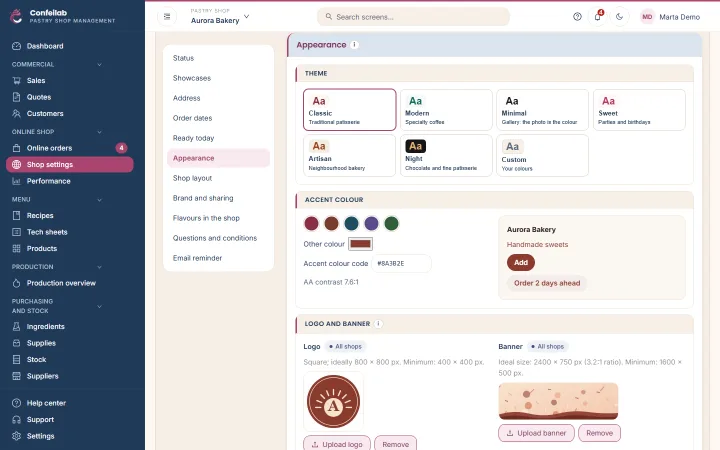
Ready-made themes or your own colours (Confeilab adjusts the shade so text stays readable), logo, banner, tagline, WhatsApp and Instagram. The shop can be in Portuguese, English or Spanish.
Your own address and guided publishing
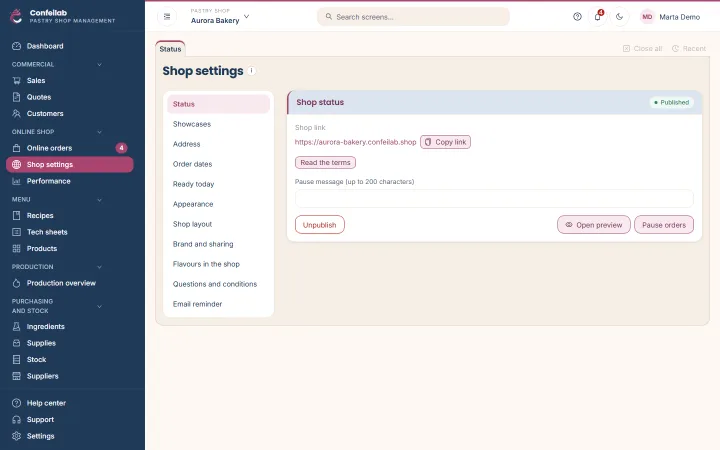
Choose your-shop.confeilab.shop, preview it and follow the checklist. You can pause orders with a message, or unpublish, without losing anything.
More than one shop
With several shops in the account, the customer chooses where to pick up, and each one has its own storefront, dates and deliveries.
Privacy and rules covered
The shop has its own privacy policy, which the customer accepts before sending, and protection against automated orders.
The online shop is part of the plans that include it in the comparison. Compare the plans
Questions about the online shop
Does the customer pay on the site?
No. Confeilab does not charge or process shop payments: the customer sends the order, and the bakery confirms the final price and agrees the payment (and the deposit, if any) on WhatsApp.
Can I use my own domain?
Not for now: the shop lives at your-shop.confeilab.shop. You can put that link on Instagram, WhatsApp and your Google profile.
Do I have to enter my products again?
No. The storefront uses the products in your catalogue, with the price you already set; in the shop you add photos, a description and how to show the price.
What if I can't take an order?
Decline it with a reason (no availability on that date, outside the delivery area, product unavailable…) and tell the customer on WhatsApp with the ready message. No customer is created.
Which plans include the online shop?
The ones that show it in the plan comparison. The number of photos and shops depends on the plan.