Your talent makes the sweets. Good management grows the business.

Bakery software: know what every bake costs and what to charge

Know what it costs to make, what to charge and how to organise your bakery, all in one place. Clearer numbers, more confident decisions.

Try it free.

Try it free Work out your price for freeno sign-up needed

No credit card required

Already have an account? Sign in

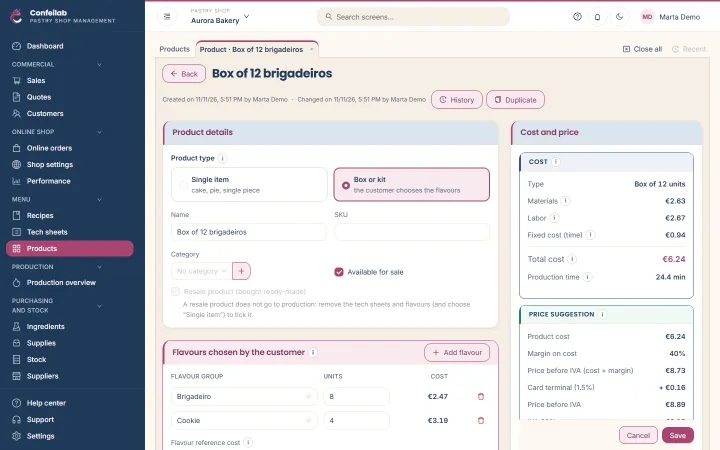
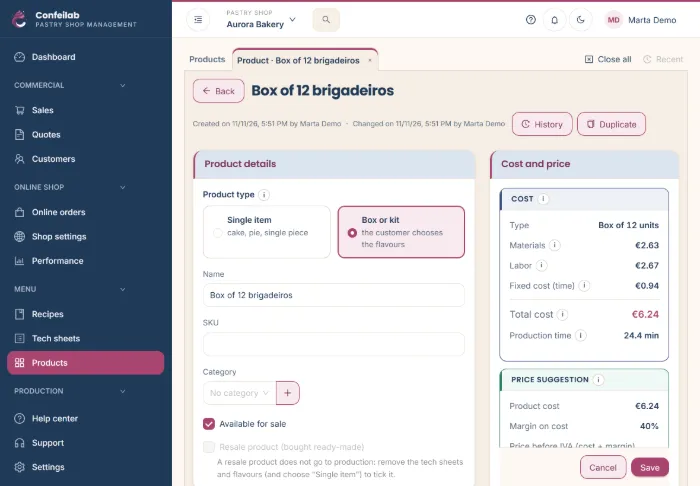
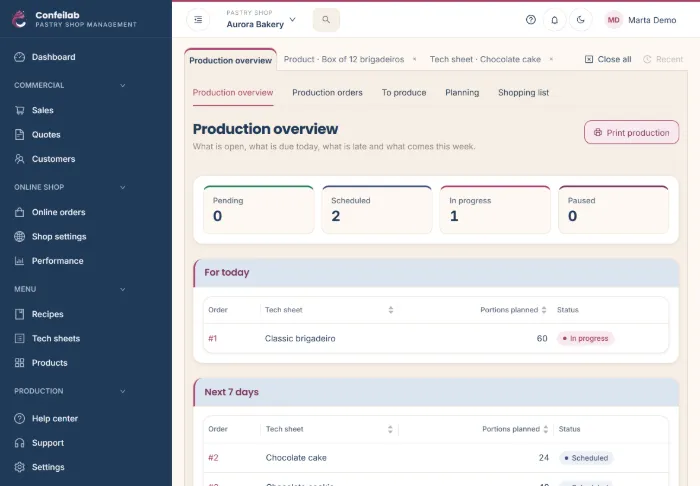
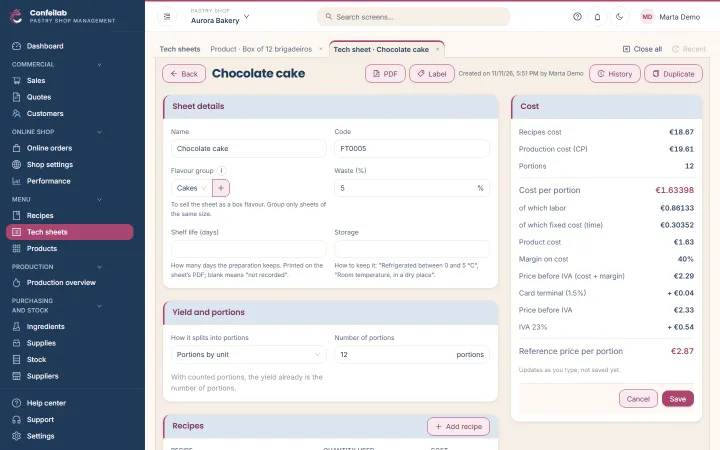
A product in Confeilab: cost, suggested price and profit margin.

You do everything to make your business work. But are the numbers working for you?

If you run a bakery, these questions may sound familiar:

  • Do you know what each product really costs?

    Ingredients, packaging, waste, rent, energy and your hours: the real cost goes well beyond the recipe.

  • Do you know what you should charge?

    Copying a competitor's price may not cover your costs, the taxes or the margin you want.

  • Are orders, purchasing and production under control?

    When everything is spread across notebooks, spreadsheets and messages, something slips through.

Your bakery deserves better than rushed sums.

Everything your bakery needs for clearer management

  • Costs and pricing

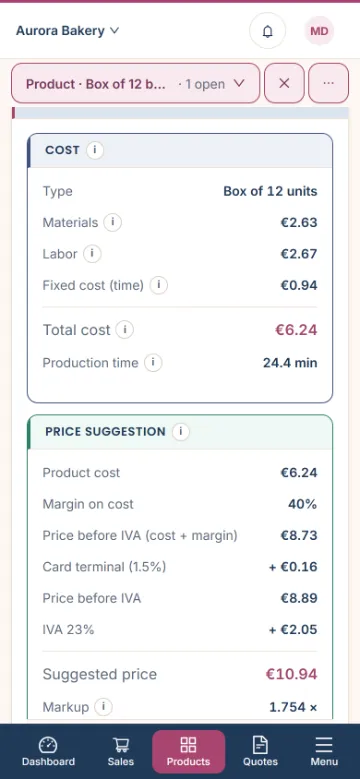
    See the real cost of every product and a suggested price with tax, the card terminal’s or the app’s fee and your margin. A traffic light warns you when a price drops below the minimum.

  • Recipes and costing sheets

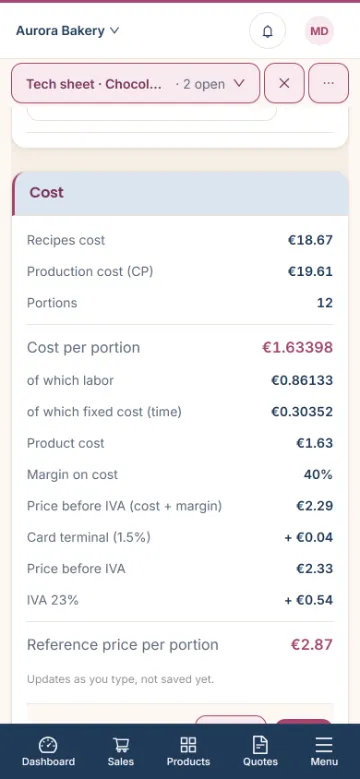
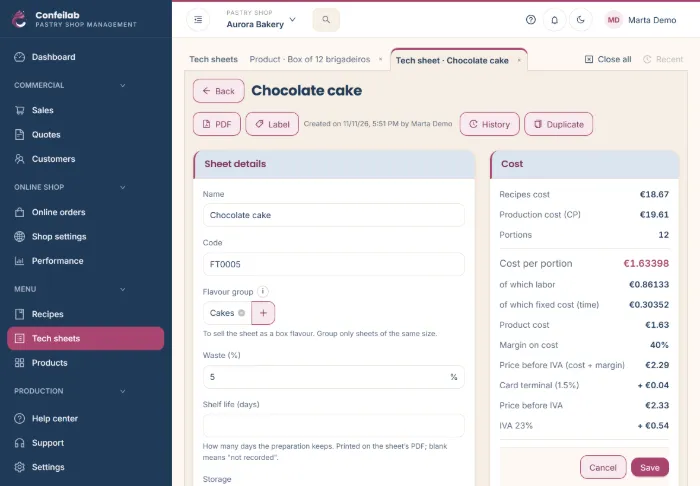
    Record ingredients, quantities, yield and waste. When flour goes up, every recipe and product shows the new cost, with no recalculating.

  • Orders and production

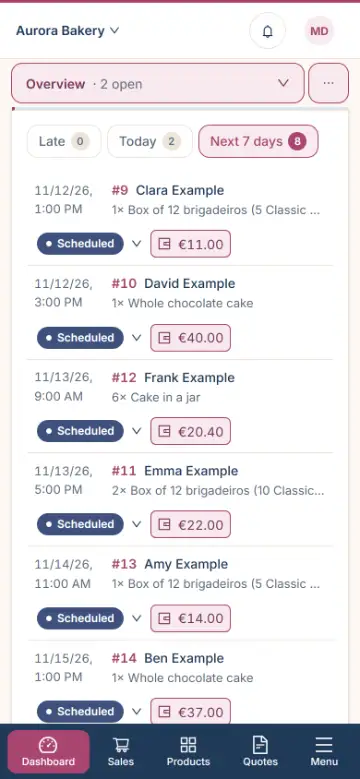
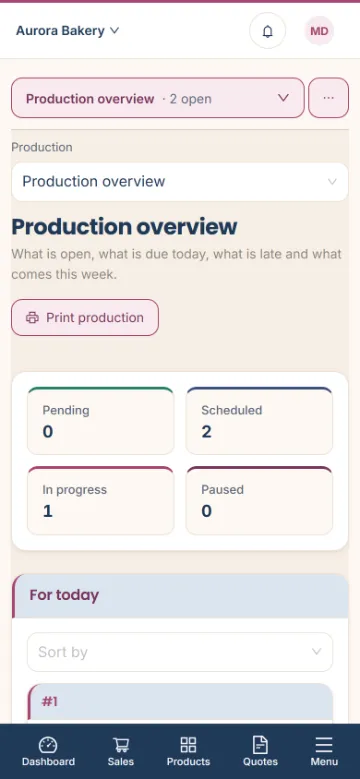
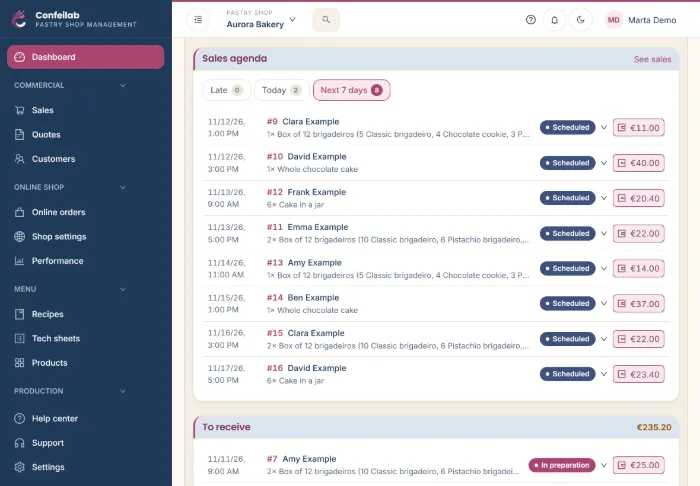
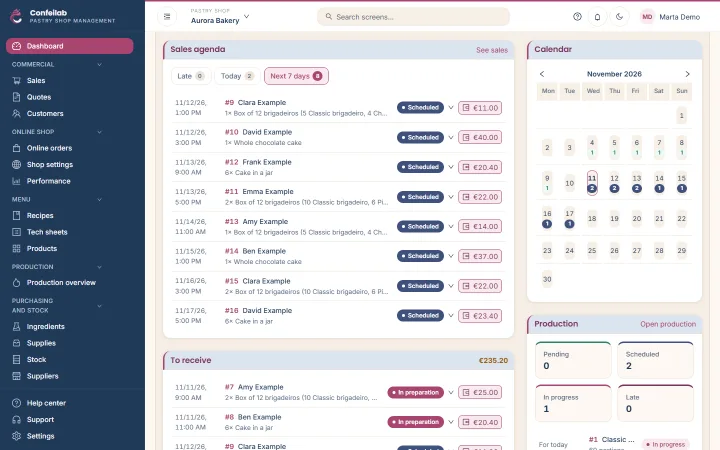
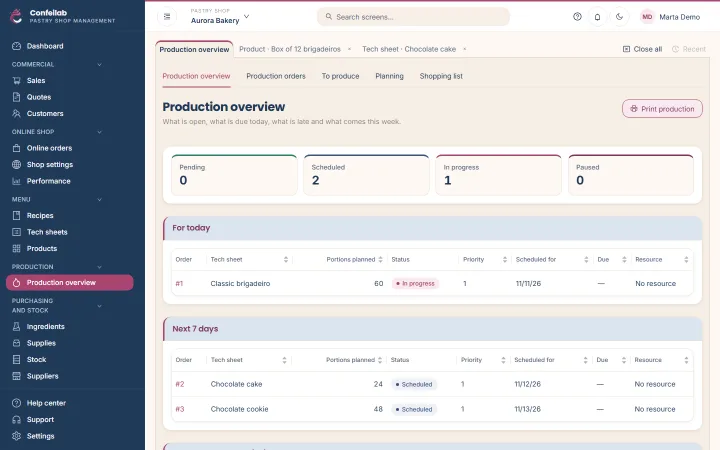
    An order calendar, quotes that turn into sales and the week's production. Record the deposit and see the balance still due on each order. Each sale keeps the margin of the day it was made.

  • Stock and purchasing

    Ingredient and packaging stock, a shopping list from your orders, suppliers and bills to pay. Deducting stock when a sale is delivered is optional: turn it on if you want and choose what it deducts.

How it works

  1. Add what you buy

    Ingredients and packaging at the price you pay, plus your monthly fixed costs.

  2. Build recipes and costing sheets

    The cost of each recipe and each portion is worked out instantly.

  3. Set the price and sell

    See the suggested price, record orders and follow the profit on every sale.

Free price calculator

Price one product in a minute, no account needed: cost, suggested price and minimum price.

Open the calculator

See the platform from the inside

Images use demo data from a fictional bakery.

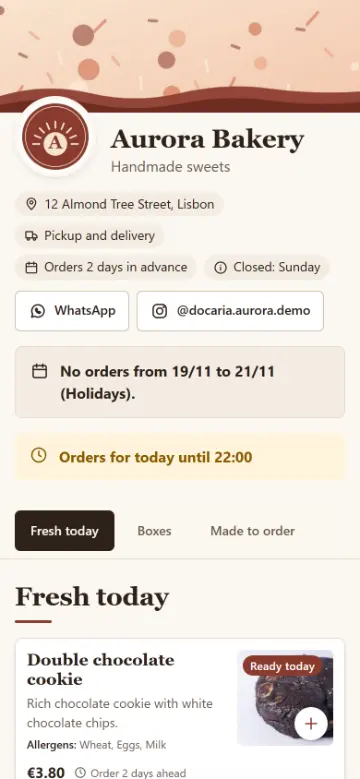
Online shop: orders with date, flavours and contact details

A storefront at your own address, built from the products you already have in Confeilab. The customer picks, chooses a date and sends; the bakery accepts and the order becomes a quote.

  • Storefront with photos and sections
  • Boxes with flavours to choose
  • A calendar with only the possible dates
  • Accepted orders become quotes
The online shop of a demo bakery on a phone

Behind Confeilab

Created by someone who lives baking. Designed for those who build a business on it.

Confeilab was created by Viviane, a baker, out of what she lived through in her own business.

For a long time, the hardest part of my business wasn't the kitchen: it was the numbers. Setting prices meant insecurity and hours lost in spreadsheets, afraid of charging too much or of not covering my costs. The software I tried was complicated and not made for bakers. I created Confeilab to make management simple for people who share the same passion.

— Viviane, baker at Brigade'Vie

Because making sweets is our passion. Running the business doesn't have to be a burden.

Viviane, baker at Brigade'Vie and creator of Confeilab

Who is Confeilab for?

  • Independent bakers

    Baking at home or in a small space, and wanting to know what you earn on every treat.

  • Custom cakes and treats

    Calendar, quotes and boxes with flavours to choose, without losing track of orders.

  • Bakeries and cafés with a team

    Everyone with their own access level: employee, manager or administrator.

  • More than one shop or kitchen

    Shops and kitchens in the same account; how many are included depends on the plan.

Simple plans, no surprises

Try it free.

No credit card required

Loading plans…

Frequently asked questions

How do I work out the cost of a recipe?

Add up the cost of each ingredient in the quantity used and divide by the recipe yield. In Confeilab, you record the price you pay for each pack and the quantities: the cost of the recipe and of each portion is worked out and updates itself when a price changes.

How do I set the selling price of a cake or bake?

Start from the product cost: recipes, packaging and production time, which pays for your work and your fixed costs. Add the margin you want. On top, add the taxes and the platform’s fee (card terminal, delivery app), so that after them you keep exactly the cost plus the margin. Confeilab does this sum for every product and also shows the minimum price.

What is a costing sheet in a bakery?

It is the record of what goes into each bake: recipes, quantities, yield and waste, with the cost of each portion. In Confeilab, the costing sheet adds up the cost of the recipes, applies the waste and shows the cost per portion that the product uses.

Is it right for a small business?

Yes. You can start with just costs and prices, and use orders, production and stock when you need them.

Do I need a card to try it?

No. You create your account and start; you only pay if you choose a plan.

What happens at the end of the trial?

Nothing is charged automatically. If you do not activate a plan, your business moves to the Free plan, forever: you keep calculating costs and prices with recipes, tech sheets and products, within the plan limits. Sales, quotes, inventory and the online store become view-only until you choose a plan.

Does it work in Portugal and in Brazil?

Yes. Tax follows the country of your business: in Portugal, VAT included in the price; in Brazil, the percentage on sales (Simples Nacional), and for an MEI the DAS goes into fixed costs. The currency is that of the country of your business.

Which currency do I pay in?

The currency follows the country: Brazilian reais for Brazil, on plans sold in reais, and euros everywhere else. The country is detected automatically from your connection.

Does it work on a phone and a tablet?

Yes, in the browser of your phone, tablet or computer, with nothing to download. If you prefer, install it as an app: it gets an icon on your home screen and opens full screen.

Can I use it with my team?

Yes. Invite people as employee, manager or administrator; each level only sees what it should.

I have more than one shop. Does it work?

Yes. Shops and kitchens live in the same account; how many are included depends on the plan.

Is my data safe?

Each business only sees its own data, the session is not stored in the browser, there are encrypted daily backups and you can turn on two-step verification. Measurement cookies, only on the public page and only if you accept them.

Does my working time count in the cost?

Yes. Labour is a category of your fixed costs: you enter the people, what they earn and the hours worked each month. The fixed cost is divided by the production hours and goes into each product according to the time it takes to make. If you prefer, switch this option off: the product cost then covers only materials and packaging, and the fixed cost becomes the month’s target.

Can I cancel and get a refund?

Yes. When you subscribe to a paid plan you can withdraw within 14 days (7 days in Brazil) with a full refund. See the Refund Policy.

It's time to run your bakery with more clarity.

Try it free.

No credit card required

Try it free